.svg)
.svg)


.svg)
.svg)
Connect Your WHOOP to Hexis
Get your WHOOP data into Hexis in just a few minutes. You choose what syncs.

Quick Setup (3 Steps)
1. Connect Your WHOOP
- Go to More → Settings → Integrations
- Tap WHOOP → Connect
- Sign in to your WHOOP account and tap "Grant" to approve
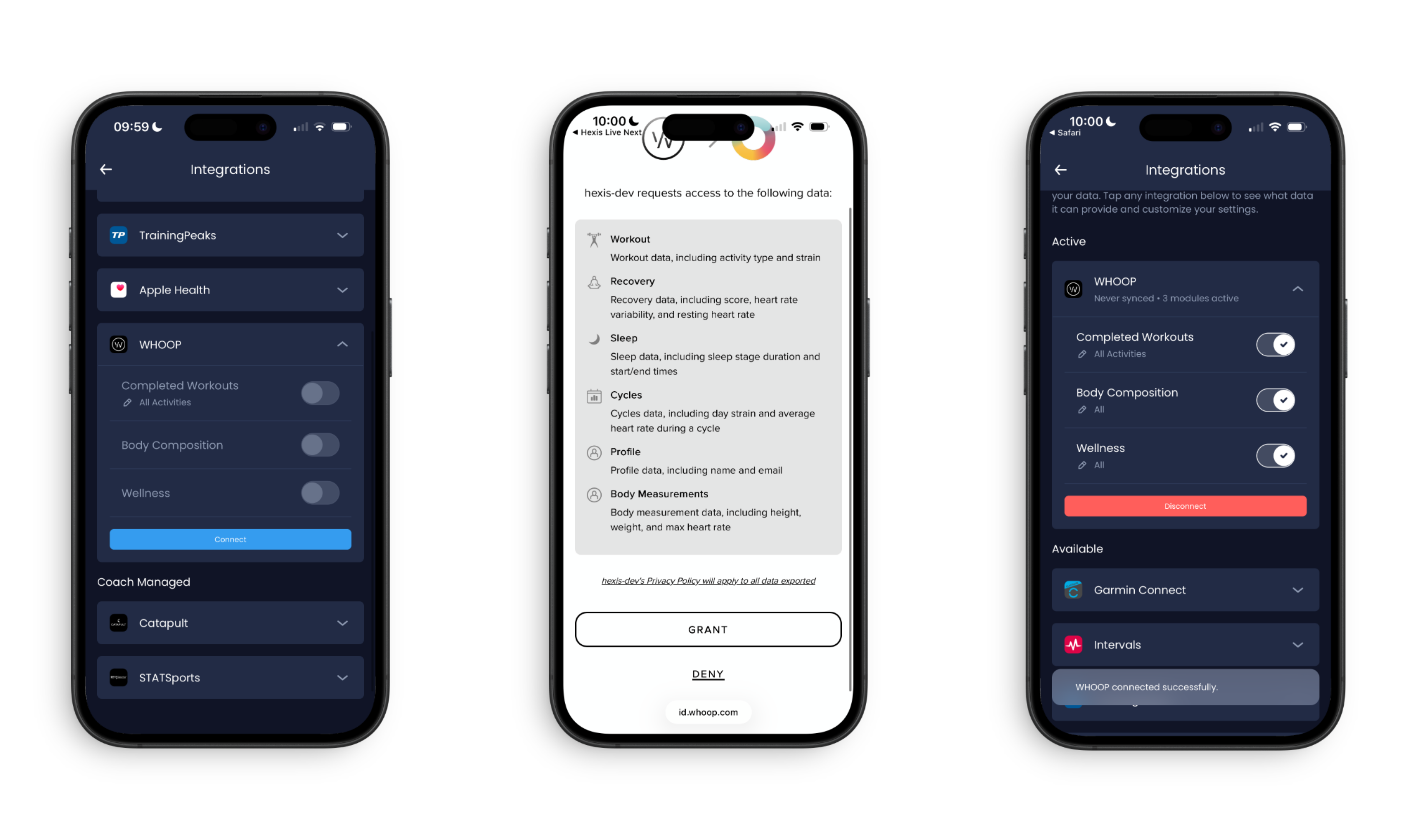
2. Pick What You Want to Sync
Choose from 3 categories:
Completed Workouts → Activities you've already done (all activity types)
⚖️ Body Composition → Weight and body measurements
❤️ Wellness → HRV, respiration rate, resting heart rate, sleep, sleep score, SpO2
You don't have to pick everything! Only select what you actually want in Hexis.
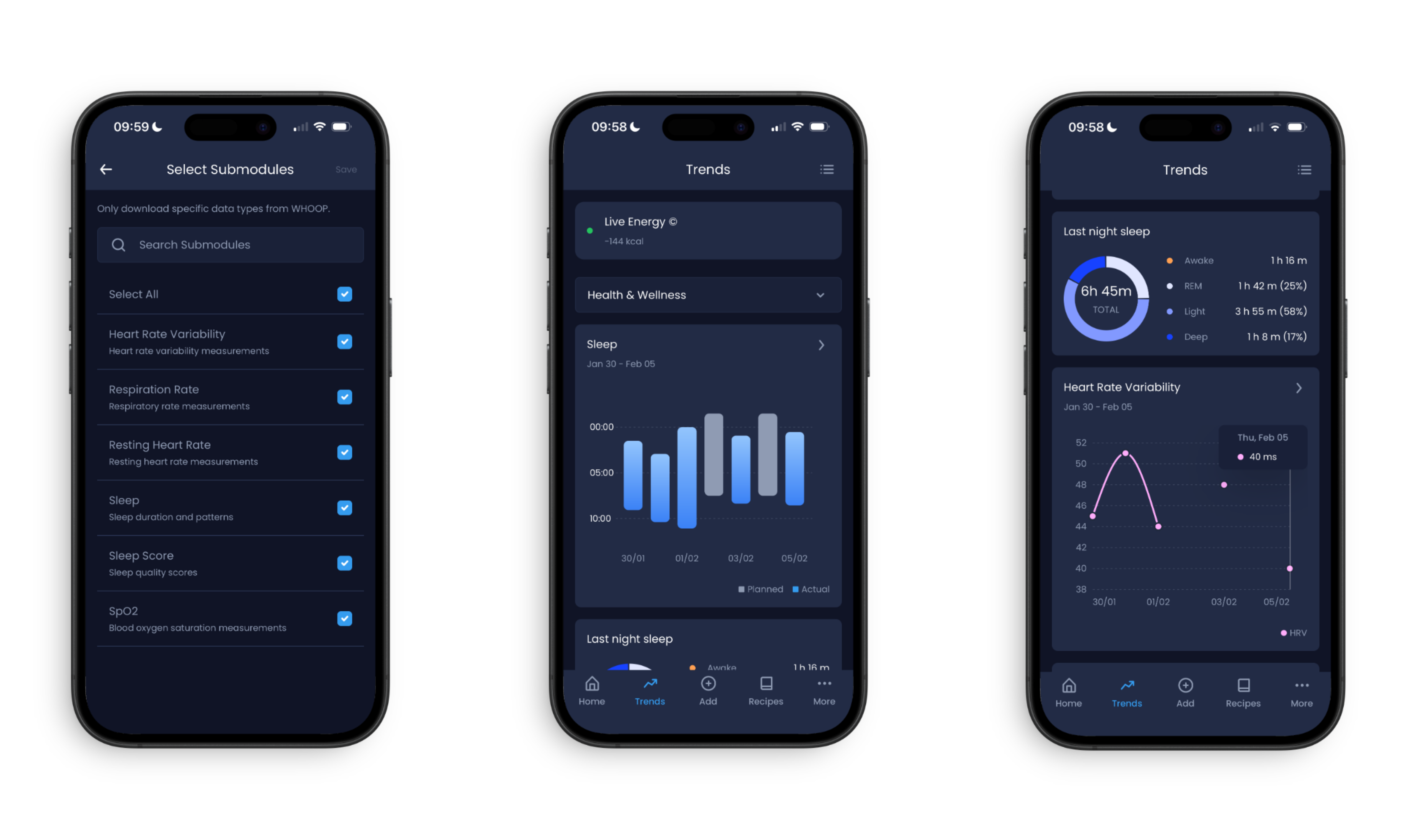
3. Save
Toggle on your selections and you're done.
How It Works
What you select = What syncs
What you don't select = Stays in WHOOP
That's it. If you only select sleep from Wellness, we'll only sync sleep—not HRV, resting heart rate, or other metrics.
Examples
Athlete using Whoop for sleep and recovery:
- ✅ Wellness: Sleep, sleep score, HRV
- ❌ Completed Workouts (using another app for training)
Syncing Your Data
To sync: Pull to refresh in Hexis
What happens:
- You see: "We're processing your integrations. You are free to keep using the application"
- We fetch only the data you selected from WHOOP
- You get a notification when it's done
- Your data appears in Hexis
Changing What Syncs
Changed your mind? No problem.
More → Settings → Integrations → WHOOP
Toggle your selections on or off. Future syncs will use your new preferences.
Note: This only affects new syncs. Your existing data stays in Hexis.
Using WHOOP + Other Apps
You can connect multiple apps to Hexis at the same time. Each one syncs the data you choose.
Popular combinations:
- WHOOP for recovery metrics + TrainingPeaks for planned workouts
- WHOOP for wellness data + Garmin for activities
Quick Tips
✓ Only sync the data types you're actually using
✓ Don't sync the same thing from multiple apps (pick your favourite)
✓ Sync whenever you have new data
Need Help?
Can't connect? Make sure you're signed into your WHOOP account.
Data not showing? Check that you toggled on the right categories.
Still stuck? Contact support at info@hexis.live—we're here to help!
Ready? Go to More → Settings → Integrations → WHOOP and get started!